
Practical guide
Plan a trip around a rolling day-count window
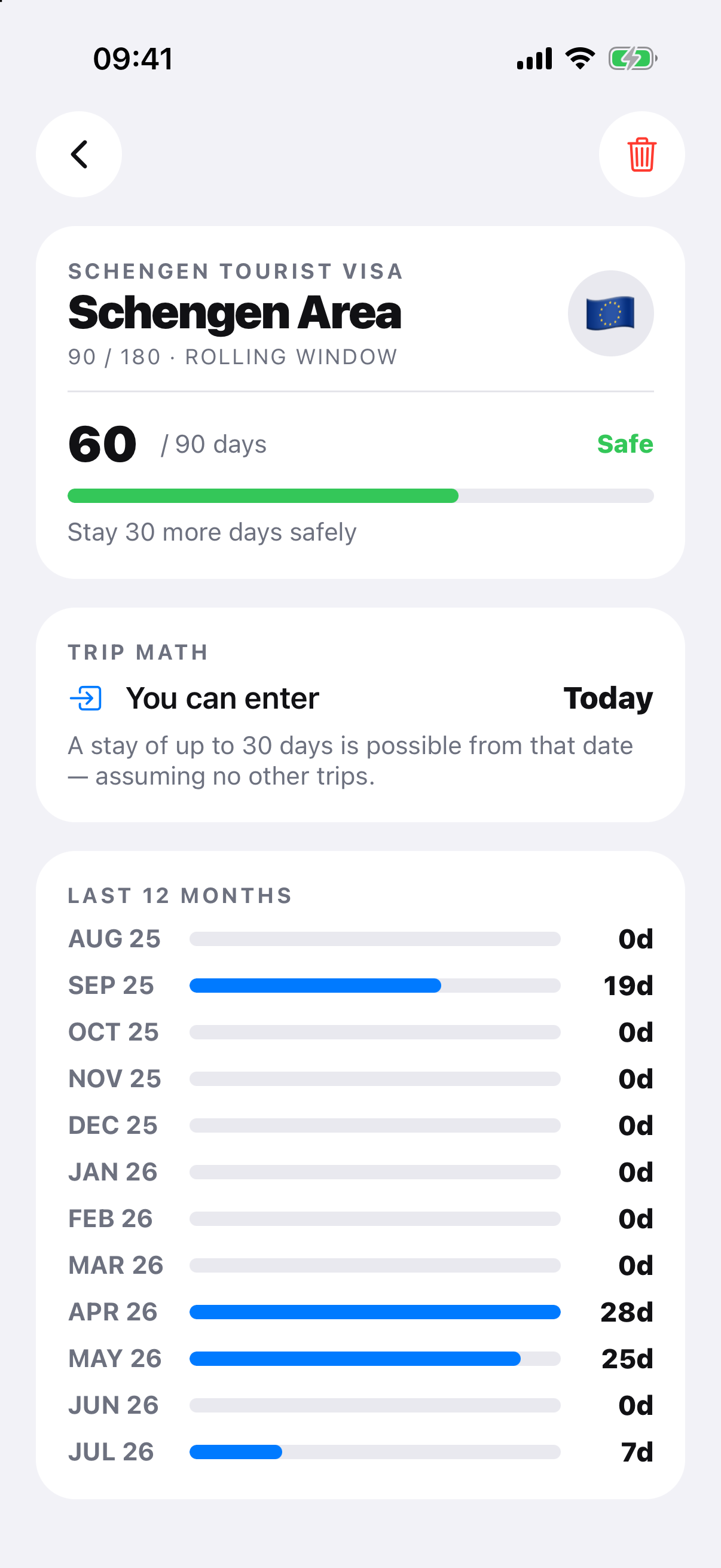
A rolling-window forecast starts with the planned date and looks backward through the rule’s exact period. Add proposed days, identify older days that will leave the window and test alternatives. The result is a planning estimate, not permission to travel or enter.
Workflow
Work through the record.
- Confirm the rule, status and official counting method.
- Audit the historical days already inside the future window.
- Add every proposed arrival, stay and departure day.
- Move the trip dates to compare when older days leave the window.
- Leave a buffer and recheck the authority before booking or travel.
Why the balance changes
The window advances one day at a time. New presence days enter while older days eventually fall outside it, so “days left today” is not automatically the balance for a later trip.
Plan for uncertainty
Corrections, transport disruption and authority interpretations can affect the record. Avoid using the exact projected limit as a safety margin, and never infer entry permission from an app forecast.
Official record and rule sources
Check the authority.
RoamCount for iPhone
Keep the dates behind the count.
Open RoamCount without putting countries, dates or personal travel details in the link.
Open this counter in RoamCount